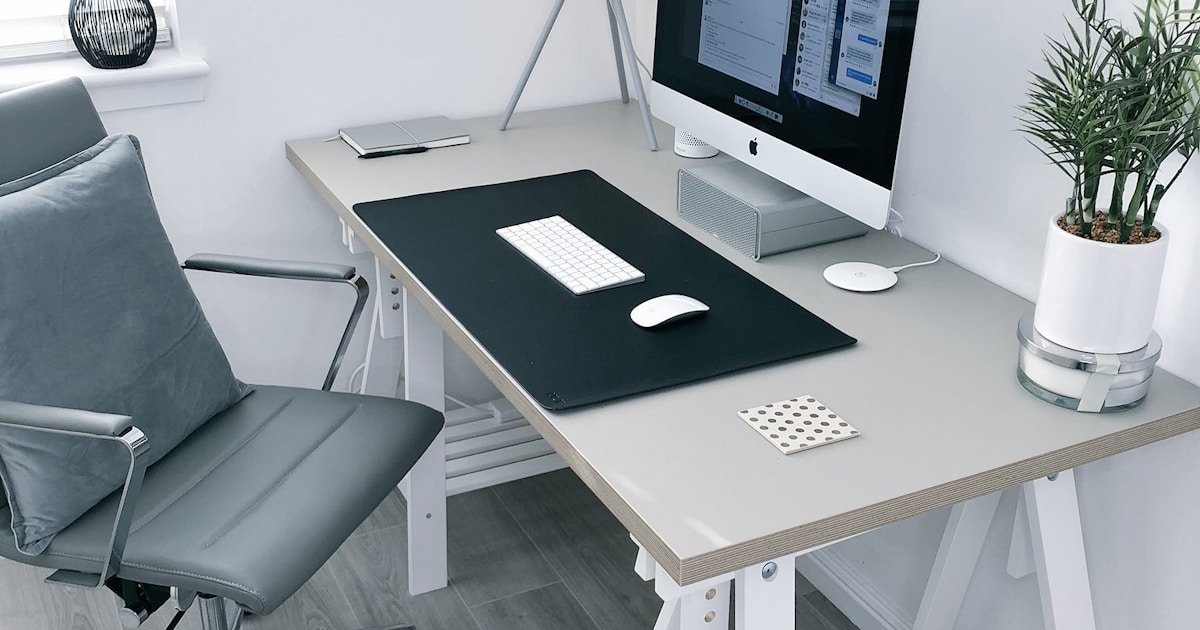
Best Wireless Keyboards for Mac 2026
Most wireless keyboards work with a Mac. Far fewer are actually built for one, and the difference shows up in small daily irritations: a Windows key where Command should be, no media controls, function keys that do nothing.
Quick picks
- Top pick: Apple Magic Keyboard w/ Touch ID
- Also great: Logitech MX Keys S
- Best value: Keychron K2 Pro
Prices change often, so check the current price before buying.
The other question is Touch ID, which only works on Apple keyboards and only on Apple silicon Macs. If unlocking and paying by fingerprint matters, that narrows the field to one product immediately.
What is in this guide
Quick verdict
- If you want Touch ID: Apple Magic Keyboard w/ Touch ID
- For several machines: Logitech MX Keys S
- If you want mechanical: Keychron K2 Pro
What separates them
| Keyboard | Touch ID | Multi device | Feel |
|---|---|---|---|
| Apple Magic Keyboard | Yes | One at a time | Shallow scissor |
| Logitech MX Keys S | No | Three | Soft scissor |
| Keychron K2 Pro | No | Three | Mechanical |
| Satechi Slim X3 | No | Three | Scissor, backlit |
| Logitech K380 | No | Three | Compact scissor |
Touch ID is the only genuinely exclusive feature. Everything else comes down to typing feel and how many machines share the desk.
The picks
Apple Magic Keyboard w/ Touch ID
Only Touch ID option
- Touch ID: Yes, Apple silicon Macs only
- Battery: Around a month per charge
- Layout: Full Mac layout
- Charging: USB-C, works while charging
Touch ID on an external keyboard is the one feature no third party can offer, because Apple does not license it. If you unlock, authorise installs and pay with a fingerprint, this is the keyboard by default.
The typing is shallow scissor switch travel, which people either like or find unsatisfying. It is not a keyboard for someone who wants key feel; it is a keyboard for someone who wants it to disappear into the desk.
One limitation to know before buying: Touch ID does not work on Intel Macs at all, and it pairs with one Mac at a time rather than switching between several.
Pros
- Fingerprint unlock and payments
- Excellent battery life
- Perfect Mac layout and media keys
Cons
- Expensive
- Shallow typing feel
- Touch ID needs Apple silicon
Logitech MX Keys S
Best for multi device
- Switching: Three devices on hotkeys
- Backlight: Proximity sensing
- Layout: Mac layout version available
If a Mac, an iPad and a work laptop share one desk, this solves the actual problem. Three buttons switch between paired devices instantly, and the software copies text between them.
Buy the Mac specific version rather than the universal one. The layout has Command and Option in the right places and the function row does what macOS expects.
The backlight turns on as your hands approach and off when they leave, which sounds like a gimmick and turns out to be the feature people miss most when they go back.
Pros
- Switches between three devices instantly
- Backlight that manages itself
- Comfortable spaced keys
Cons
- No Touch ID
- Backlight shortens battery life considerably
Keychron K2 Pro
Best mechanical
- Switches: Mechanical, hot swappable
- Layout: Mac and Windows keycaps included
- Connection: Bluetooth or cable
Keychron built its business on the gap Apple left: mechanical keyboards with proper Mac layouts. Command and Option are where they should be, and Mac keycaps come in the box.
Hot swappable switches mean you can change the feel without soldering, which is the thing that makes a mechanical keyboard worth the money over years rather than a one time preference.
It is loud and tall compared with a Magic Keyboard. In a shared room or on a video call, that matters.
Pros
- Proper mechanical feel with a Mac layout
- Switches can be changed without soldering
- Wired or wireless
Cons
- Noisy
- Tall enough to want a wrist rest
- Heavier to move around
Satechi Slim X3
Apple styling
- Style: Aluminium, matches Apple hardware
- Switches: Scissor
- Devices: Three paired
Satechi makes the closest thing to an Apple keyboard without Apple pricing, with the same aluminium finish and a similar low profile.
Backlighting is the addition Apple does not offer at all, which for anyone typing in a dim room is a real advantage over the Magic Keyboard.
Pros
- Backlit, unlike Apple keyboards
- Matches Apple hardware visually
- Cheaper than Apple
Cons
- No Touch ID
- Scissor feel is not for everyone
Logitech K380
Cheapest and smallest
- Size: Compact, no number pad
- Battery: AAA, up to two years
- Devices: Three
The K380 is the one to throw in a bag. It runs on AAA cells for up to two years, so there is nothing to charge, and it pairs with three devices including phones and iPads.
The round keys and cramped layout are a real compromise for long typing sessions. This is a travel and couch keyboard, not a desk one.
Pros
- Very cheap
- Two years on a set of batteries
- Genuinely portable
Cons
- Cramped for long sessions
- Round keycaps take adjustment
What a proper Mac layout actually gives you
Three differences separate a Mac keyboard from a Windows one that happens to connect.
Modifier position
On a Mac the order beside the space bar is Control, Option, Command. On a Windows board it is Control, Windows, Alt, which maps to Control, Command, Option. Every copy and paste hits the wrong key until your hands relearn it, and the printed labels stay wrong forever.
The function row
Mac keyboards put brightness, Mission Control, volume and playback on F1 to F12. A generic keyboard sends plain function keys, so those controls simply do nothing until you configure something to remap them.
Fn and globe
Recent macOS uses the globe key for emoji, dictation and language switching. Third party keyboards without it lose those shortcuts, which is a small thing until you use dictation daily.
If more than one machine shares the desk
Multi device pairing is the feature that changes a desk most, and it is worth understanding what the two approaches give you.
Hotkey switching, as on the MX Keys S and K380, means pressing a button to move the keyboard between paired machines. It works with anything Bluetooth, including iPads and phones, and takes a second or so to connect.
Software flow, which Logitech layers on top, goes further: move the cursor to the edge of one screen and keyboard and mouse follow onto the next machine, with copy and paste carrying across. It only works between computers running the software, so an iPad still needs the hotkey.
Apple does neither. The Magic Keyboard pairs to one Mac and switching means unpairing, which is the strongest practical argument against it for a desk with more than one machine on it.
FAQ
Do I need a Mac specific keyboard?
Any Bluetooth keyboard types on a Mac. A Mac layout puts Command and Option in the right places and gives you working media keys, which matters more day to day than it sounds.
Does Touch ID work on any keyboard?
No. Only Apple keyboards with the sensor, and only on Apple silicon Macs. Intel Macs cannot use it at all.
Can I use a Windows keyboard with a Mac?
Yes. Command and Option are swapped relative to the printed keys, and macOS lets you remap them in System Settings, but the labels will be wrong.
Is mechanical worth it for a Mac?
For typing feel, yes. For a shared office or frequent video calls, the noise is a real consideration.
How long do wireless keyboard batteries last?
Apple around a month, Logitech MX Keys S a similar span with backlight on and much longer without, the K380 up to two years on AAAs. See MacBook docking stations for the rest of the desk setup.
Which should you buy?
Final verdict
Buy the Apple Magic Keyboard with Touch ID if you want fingerprint unlock. Buy the MX Keys S if you switch between machines. Buy a Keychron if you want mechanical and a Mac layout.
- If you want Touch ID: Apple Magic Keyboard w/ Touch ID
- For several machines: Logitech MX Keys S
- If you want mechanical: Keychron K2 Pro